A home repair cost tracker with the story behind every expense
A total tells you how much you spent. A useful home record also tells you which item needed work, what was repaired, who handled it, and whether the same problem keeps returning.
 (opens in a new tab) See inside the app
iPhone, iPad & Mac · Review current purchase options and feature availability in the app.
What to record with a repair cost
- ItemThe appliance, system, room, or exterior component that received the work.
- WorkRepair, replacement, maintenance, inspection, or improvement.
- ProviderThe company or person who performed it.
- EvidenceEstimate, invoice, receipt, warranty claim, and before-and-after photos.
- OutcomeWhat changed, parts used, and any follow-up recommendation.
See spending across the home
Cost reports summarize recorded maintenance and repair spending while preserving the entries behind the totals. Review costs by property and time period without reducing the home to a bare spreadsheet.
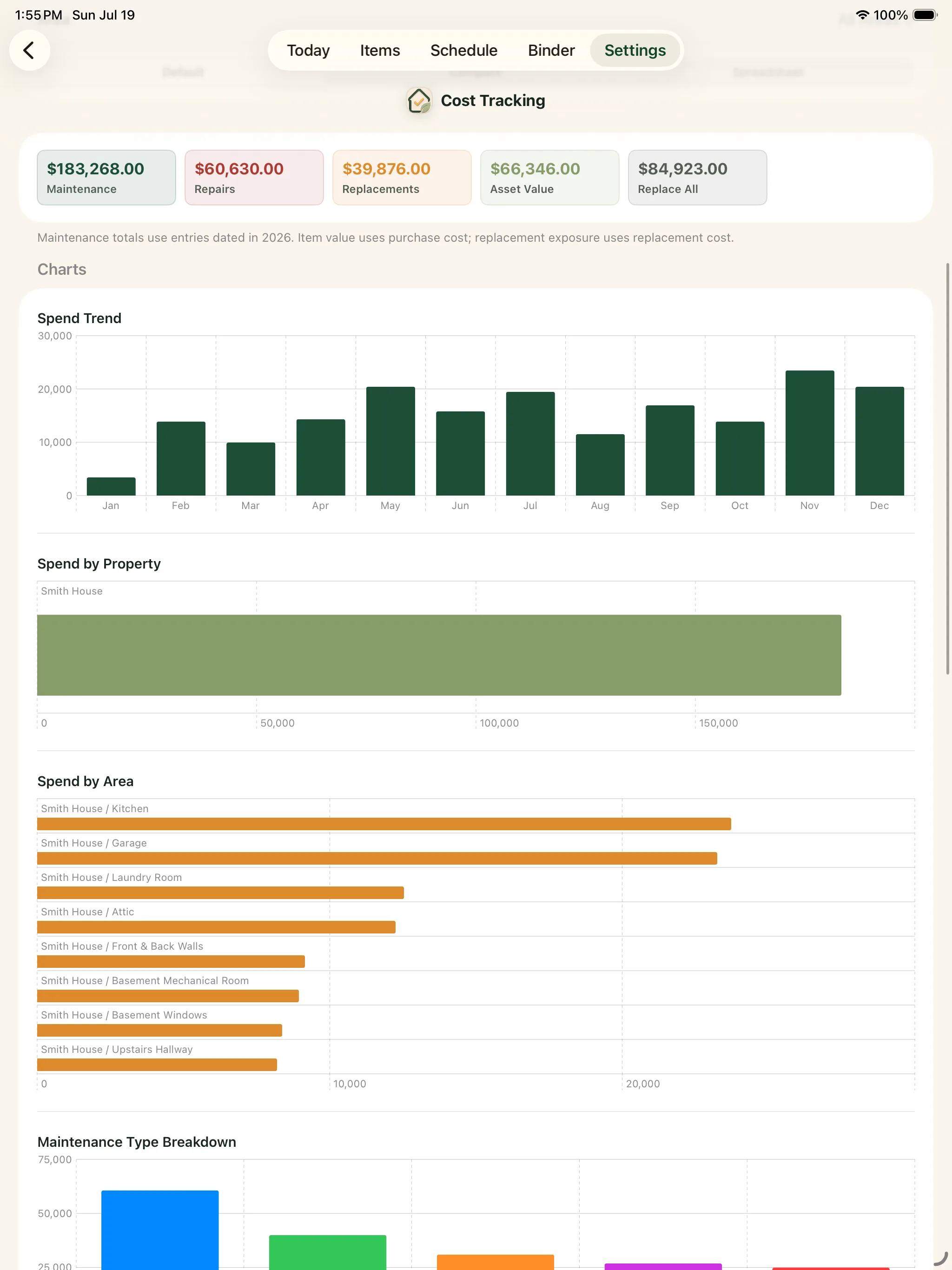
Spot repeat repairs and aging equipment
Costs become more useful when they appear in date order on an item's history. You can see whether an appliance has needed repeated service and bring the full context to the next repair-or-replace decision.
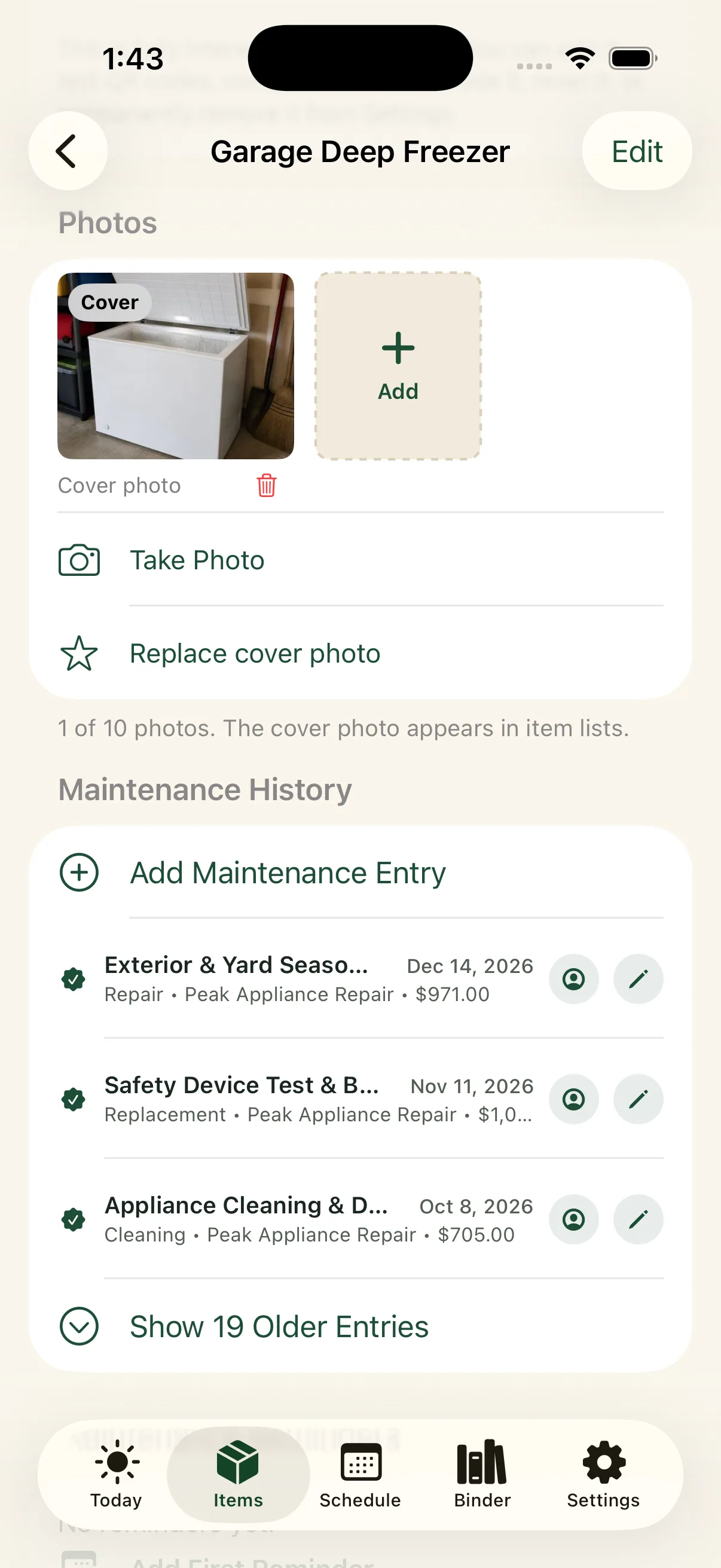
Keep estimates separate from completed costs
Record what was actually paid after the work is complete, then attach the final invoice. Add enough detail to explain unusual totals, bundled work, rebates, insurance payments, or a warranty-covered repair.
Record the last meaningful home expense.
Add the amount, date, item, provider, and one sentence about the work. Attach the invoice if you have it.
iPhone, iPad & Mac · Explore an example home. Review current purchase options in the app.
No separate Around The House account. Private iCloud sync across your own devices when enabled.