Remember exactly which paint you used.
The label on the can in the garage is half peeled off, and the receipt went out with the recycling. Around The House keeps the color name, code, brand, and finish with the room it went on, so the next touch-up starts with the details instead of a guess.
Pick the kind of paint job
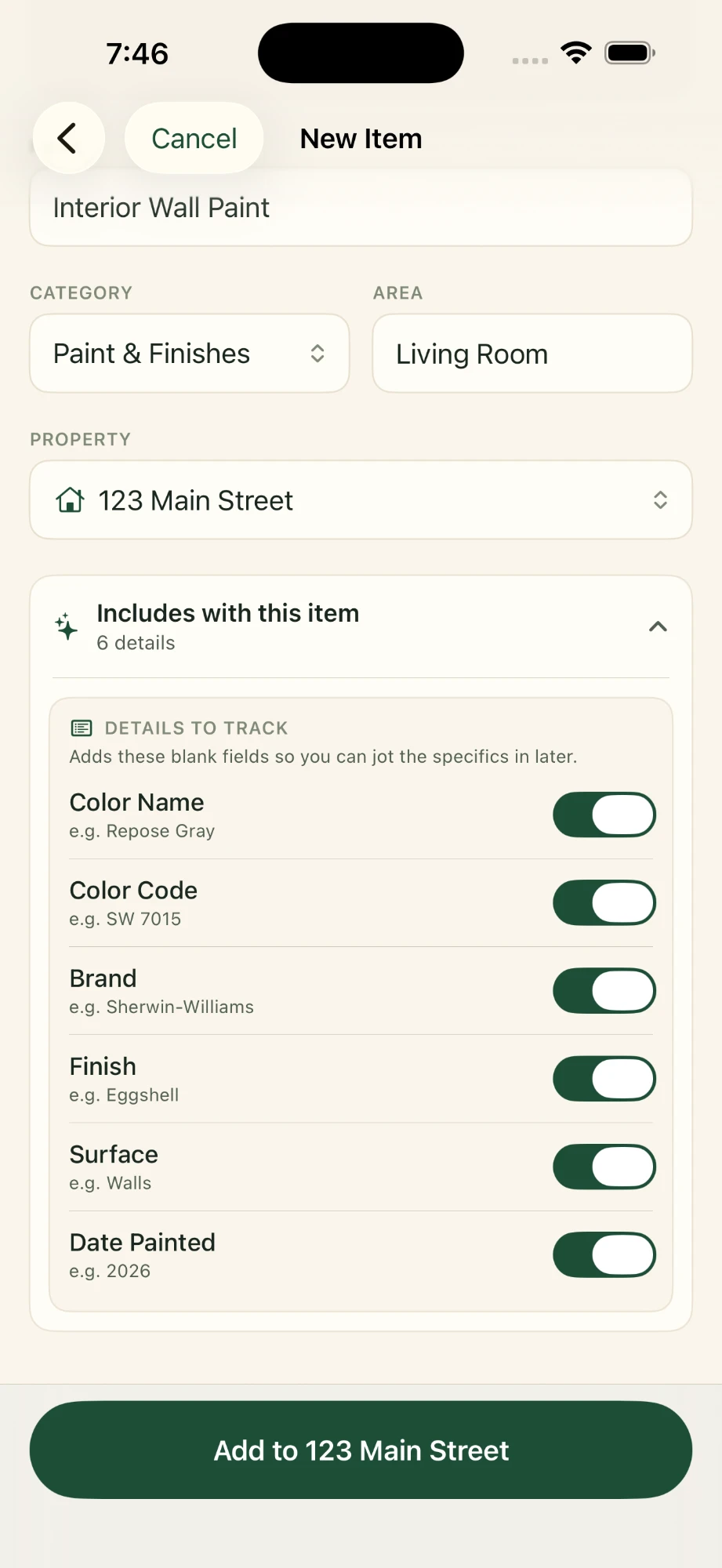
When you add a new item, the Paint & Finishes category has six starting points: interior wall paint, trim and door paint, ceiling paint, cabinet paint, exterior paint, and deck or fence stain.
Choosing one fills in the name and a likely area for you. Both are ordinary text, so "Interior Wall Paint" can become "Hallway walls" if that's how you think of it.
It's worth making a separate record for each surface that got its own color. The walls and trim in one room are usually two different paints, and you'll want to find each without digging.
What gets written down
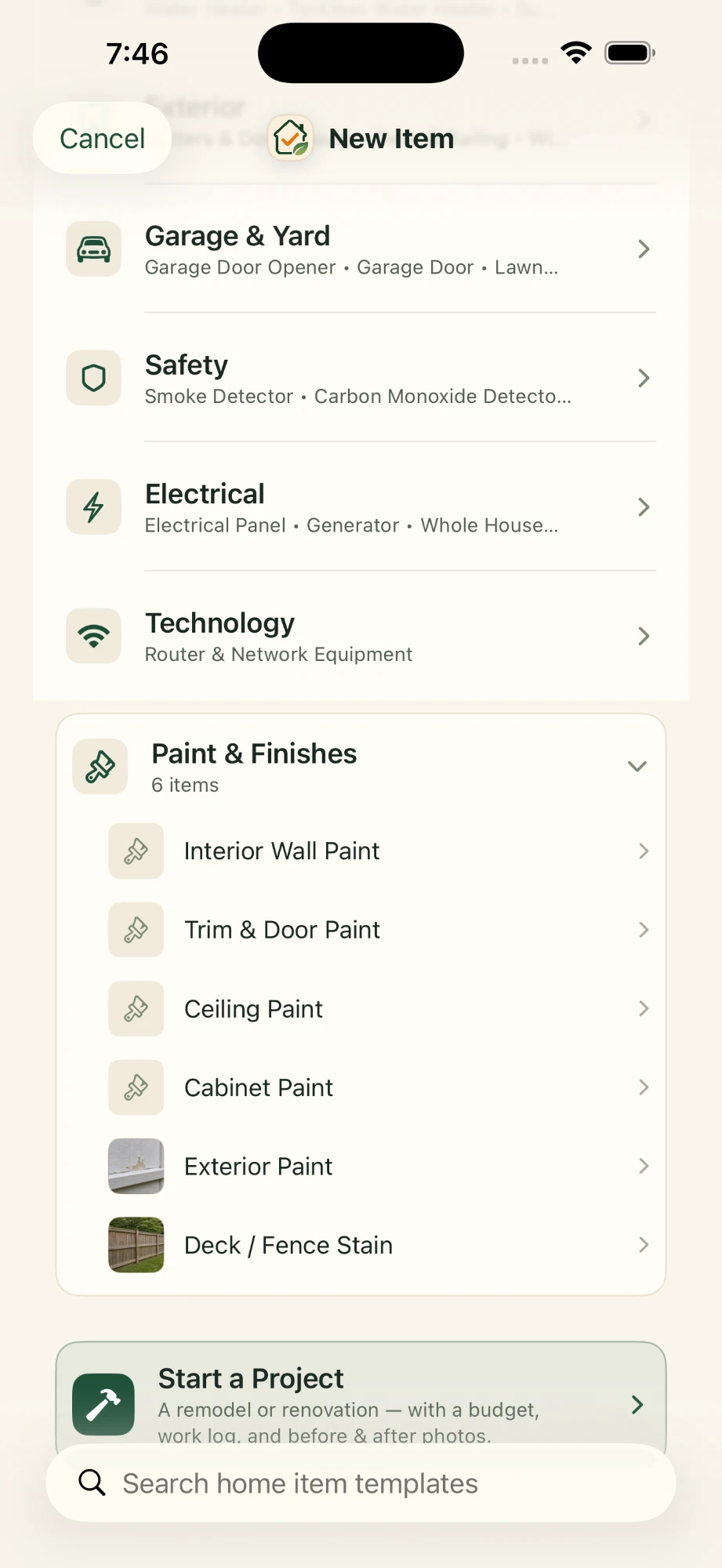
A paint record comes with six fields ready to fill in. They're the same details shown in the screenshot at the top of this page.
- Color nameWhat's printed on the chip or the lid. Handy for recognizing it, but not always enough to buy it again.
- Color codeThe number the paint counter uses to mix it. If you only save one thing, save this.
- BrandA color code only means something alongside the brand that made it.
- FinishFlat, eggshell, satin, semi-gloss. The same color in a different sheen won't look the same on the wall.
- SurfaceWalls, trim, ceiling, siding, or whatever the paint actually went on.
- Date paintedA plain text field, so "2026" and "June 2023" both work.
These are text fields you fill in yourself. The app doesn't look colors up, read them from a photo, or check a code against a brand's catalog. It keeps what you type.
Anything that doesn't have a field of its own, like how many coats it took or which shelf the leftover can is on, can go in the item's notes. You can also add your own fields later, such as the store you bought it from.
Put it in the right room
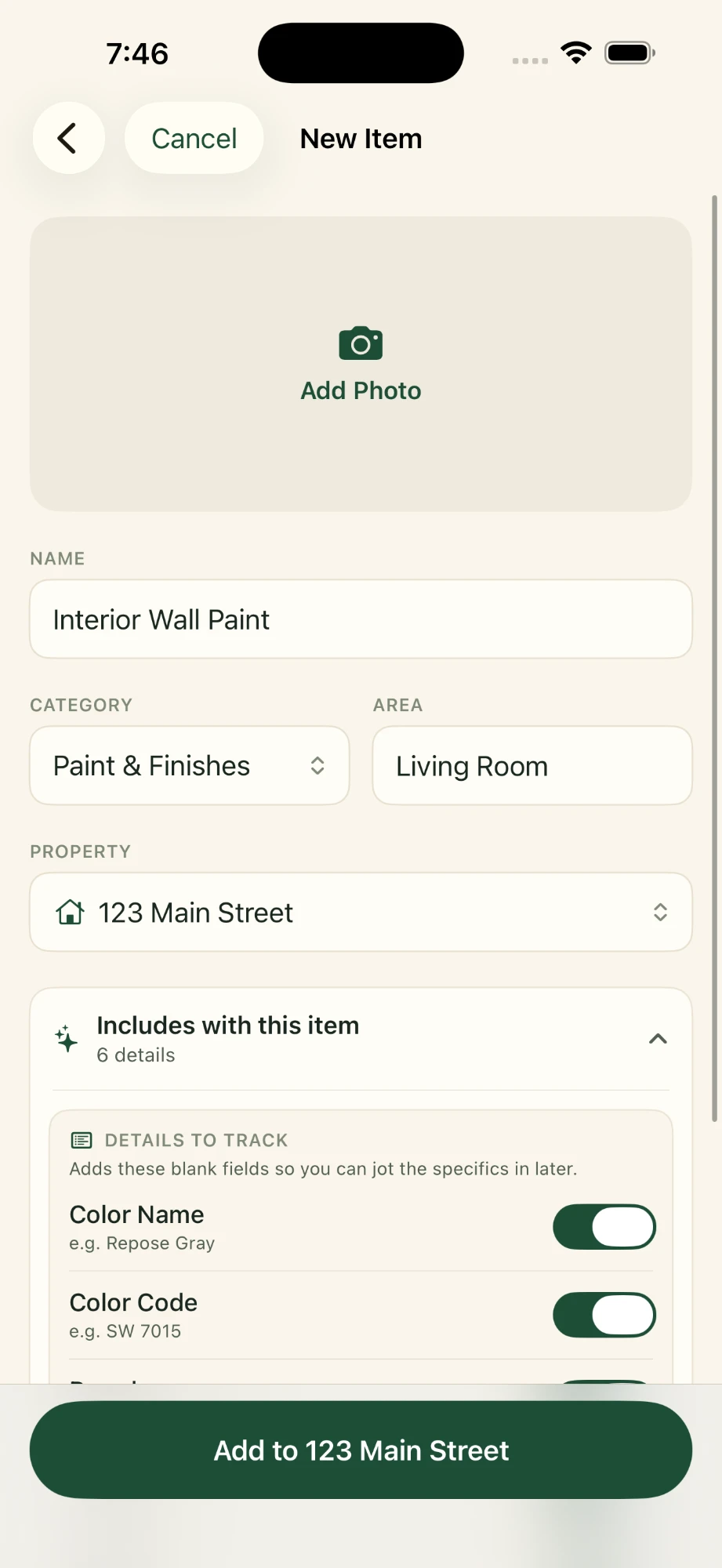
This is the top of the same form, before you scroll down to the paint details. The Area field holds the room, and the Property field matters if you keep records for more than one home.
Each of the six paint details has its own switch. Leave on the ones you care about and they're added as blank fields, so you can save the record now and fill in the code later, when you're in the garage holding the can.
There's a place for a photo right at the top. Once the record is saved it can hold up to ten, which is enough for the wall, the lid, and the paint chip that's been stuck to the fridge since you picked it.
When a wall gets scuffed
A dragged chair leaves a mark in the dining room, or a picture comes down and leaves nail holes to patch. You open the room's paint record and read off the brand, code, and finish instead of hunting for the can.
Having the exact code gets you the same color formula, but it can't promise an invisible repair. Older paint on the wall fades, and sheen and application change how a patch looks. For anything bigger than a small spot, painting to the nearest corner usually blends better.
Kept with the rest of the house
Paint records live in Around The House alongside your appliances, repairs, and documents, on iPhone, iPad, and Mac, without a separate company account. They stay on your devices and, when you turn it on, in your private iCloud.
Start with the room you painted last.
It's the one you still have the can for.

No Around The House account. Your records stay on your Apple devices and in your private iCloud when sync is enabled.