Your home information, together
Everything about your home. Without the spreadsheets.
Keep paint colors, appliance details, repair history, and reminders together—so there’s less to remember and one place to look.
Paint colors. Filter sizes. Receipts and manuals. Repairs and the people who did them. All kept with the things they belong to.
iPhone, iPad & Mac · Up to five home items free
Explore a preloaded example home before adding your own.
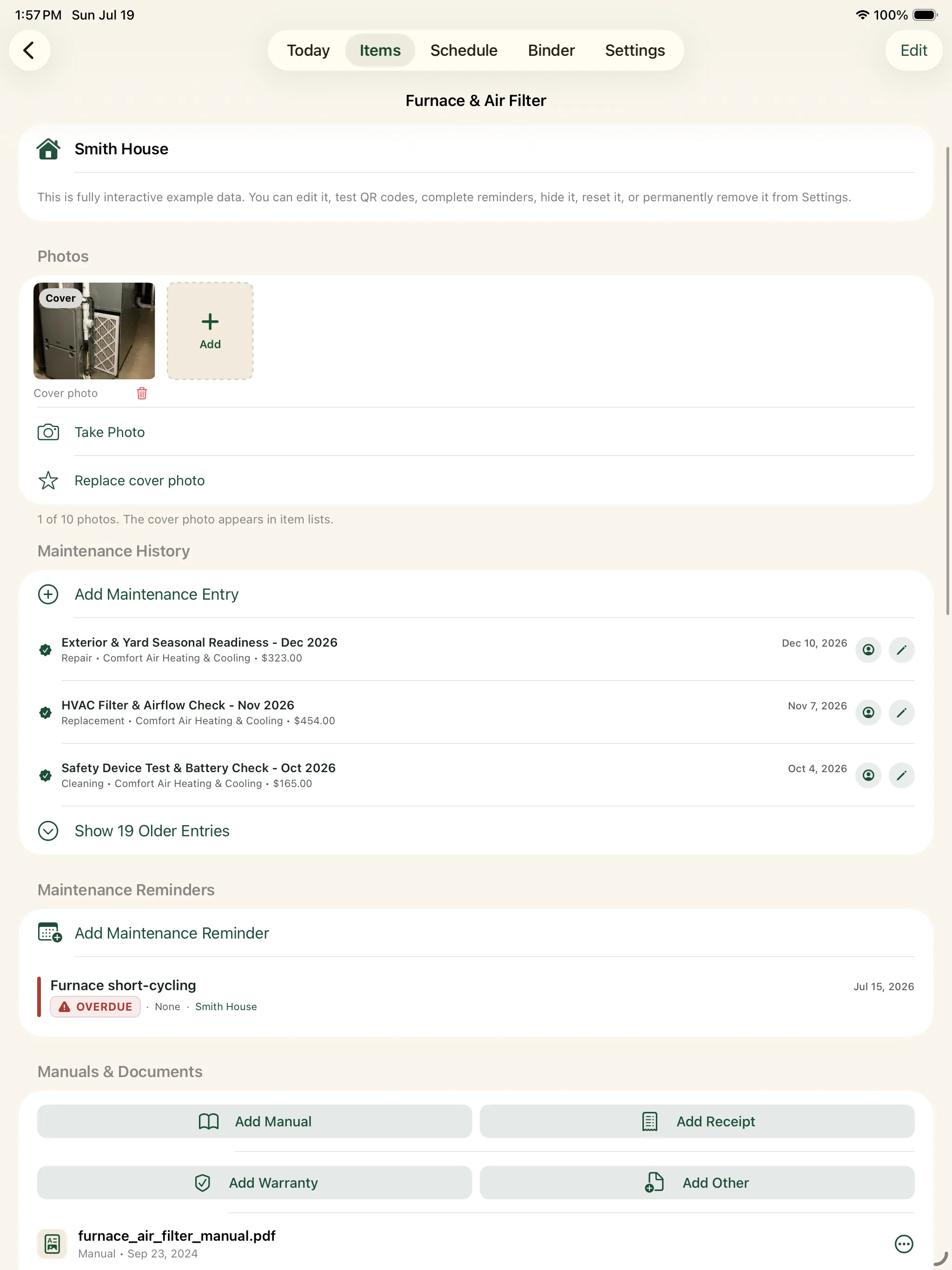
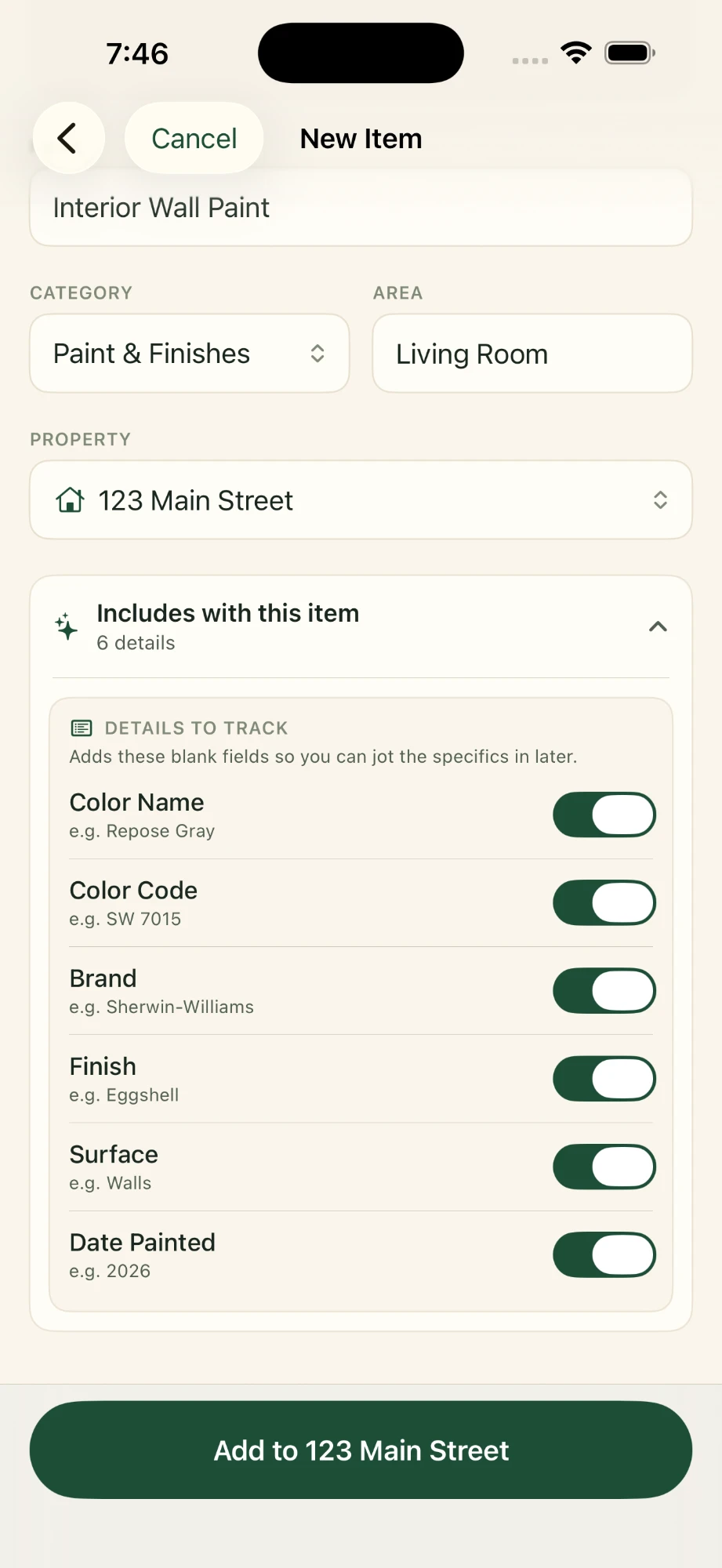
A place for the whole record, down to the paint finish.
The answer belongs
with the item.
Your furnace filter size is in Photos. The repair receipt is in email. The plumber’s number is in a text. Around The House keeps the details connected to your home, so they’re easier to find when you need them.
Explore what you can saveOne place for the home questions that come up again.
- What color did we paint this room?Save the color, brand, finish, and room details for the next touch-up.
- What size air filter do we need?Keep appliance specifications and maintenance reminders together.
- Is this appliance still under warranty?Track the expiration dates you enter and see upcoming expirations. Pro adds warranty documents and warranty-countdown PDF reports.
- Who fixed that last time?Keep service providers, repairs, dates, and recorded costs connected to the relevant home item.
01 / Capture it
That exact shade.
For the next touch-up.
Save the little details while they’re right in front of you.
Photograph the paint can. Add the brand, color code, and finish to a paint record in the right room. When it’s time to touch up the trim, you have the information you need to buy it again.
A new appliance, a repair invoice, a project photo: each can join the record of the home as it happens. Start with one useful thing and add more as you go.
Keep your paint colorsLiving room trim: brand, color code, satin finish, and a photo of the lid.
02 / Find it
At the store.
On a service call.
Right when you need it.
Open the item. The details are already together.
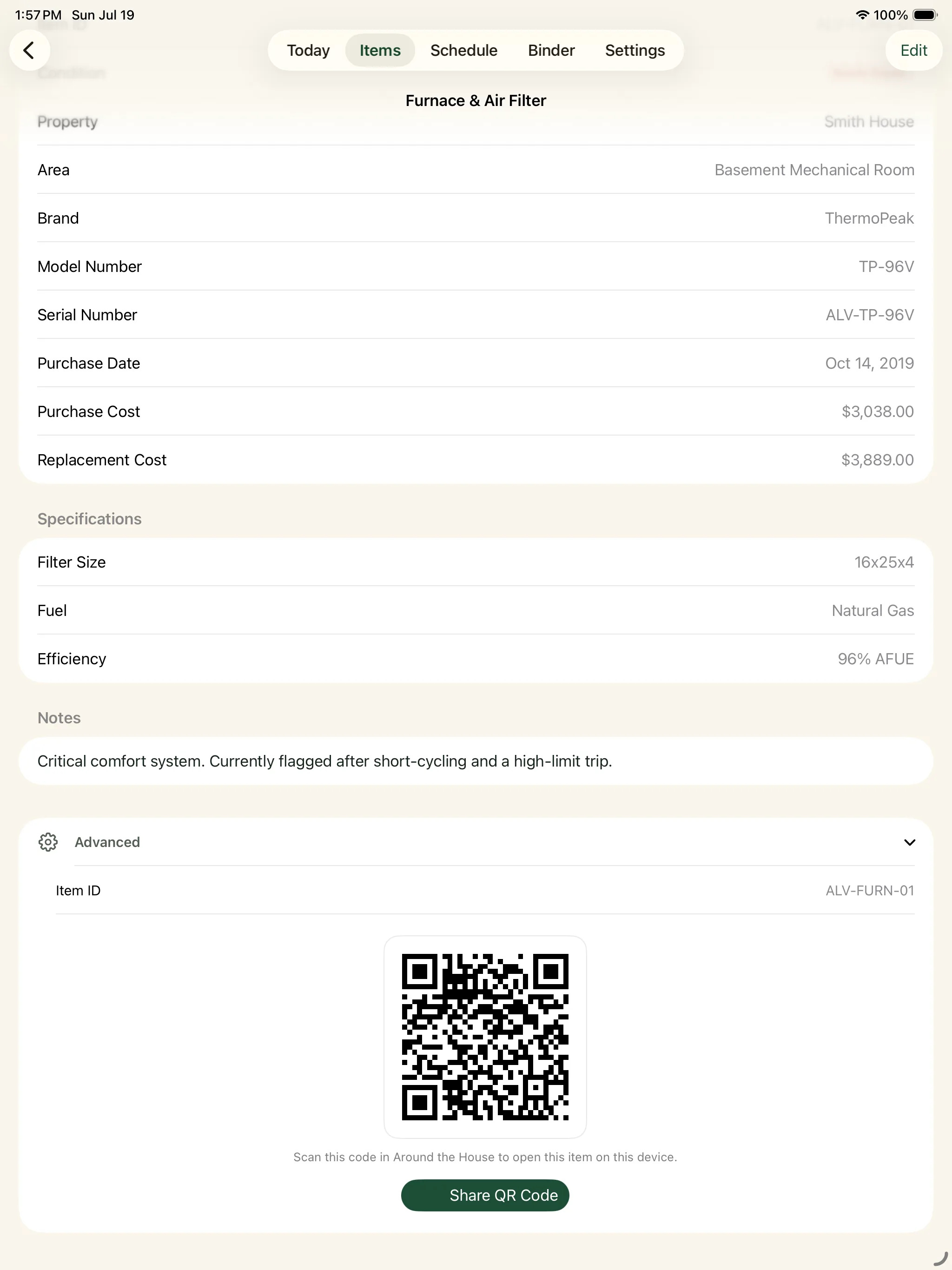
“Which air filter do we buy?”
Keep the filter size and a label photo on the furnace record. The next trip to the hardware store starts with a quick look, rather than a guess.
Save appliance details“Where’s the receipt?”
With Pro, attach the manual, purchase receipt, and warranty to the same appliance. Open its record to find them, or browse your home’s documents in the Binder.
Keep the paperwork togetherGlobal Search also finds items, documents, notes, service providers, and the details you’ve saved.
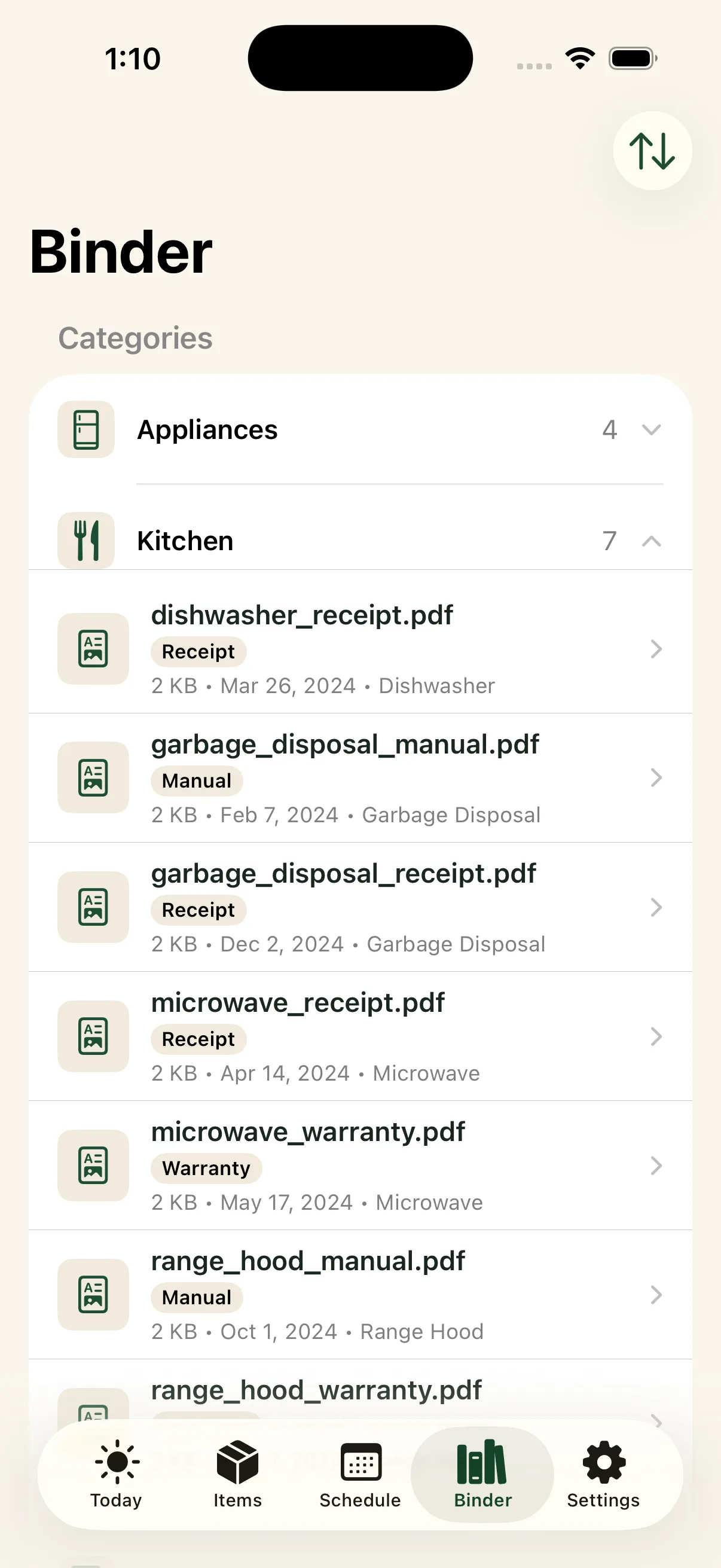
A home record, with context
More useful than a folder called “House.”
Your dishwasher’s receipt lives beside its model number and repair history. With Pro document attachments, a roof invoice stays with the roof. You don’t have to build the filing system yourself.
Explore the digital home binder03 / Remember it
Your home has a history. Keep it.
“When did we replace that?”
Purchase and installation dates, repair notes, invoices, and completed maintenance stay with the appliance or system. A year later, you can see what happened.
“Who fixed it last time?”
Keep the provider with the work they did, then find their contact details when you need them again.
Remember the people worth callingAnd a reminder for what comes next.
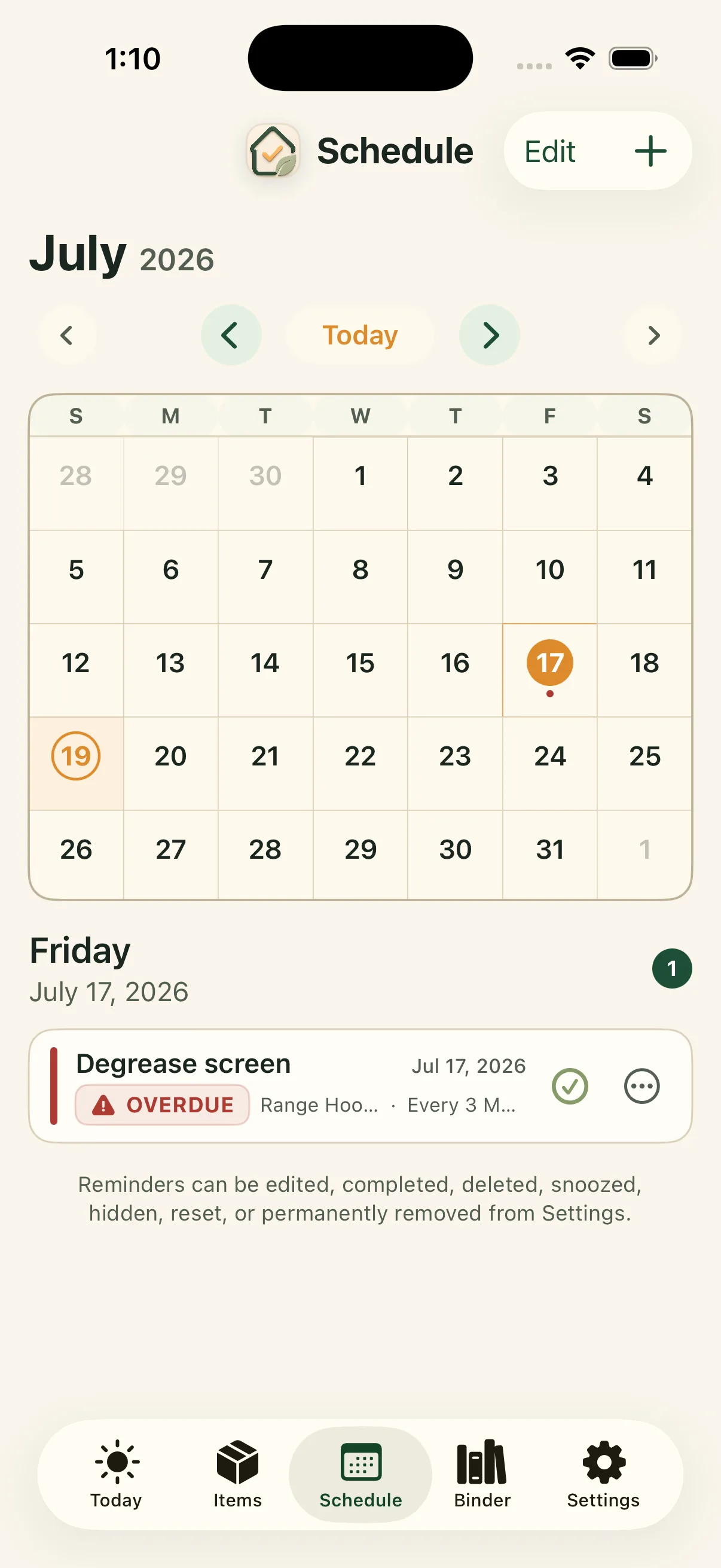
Set a recurring filter change or service visit against the same item. Today and Schedule show upcoming and overdue work. The completed work becomes part of its history.
See maintenance reminders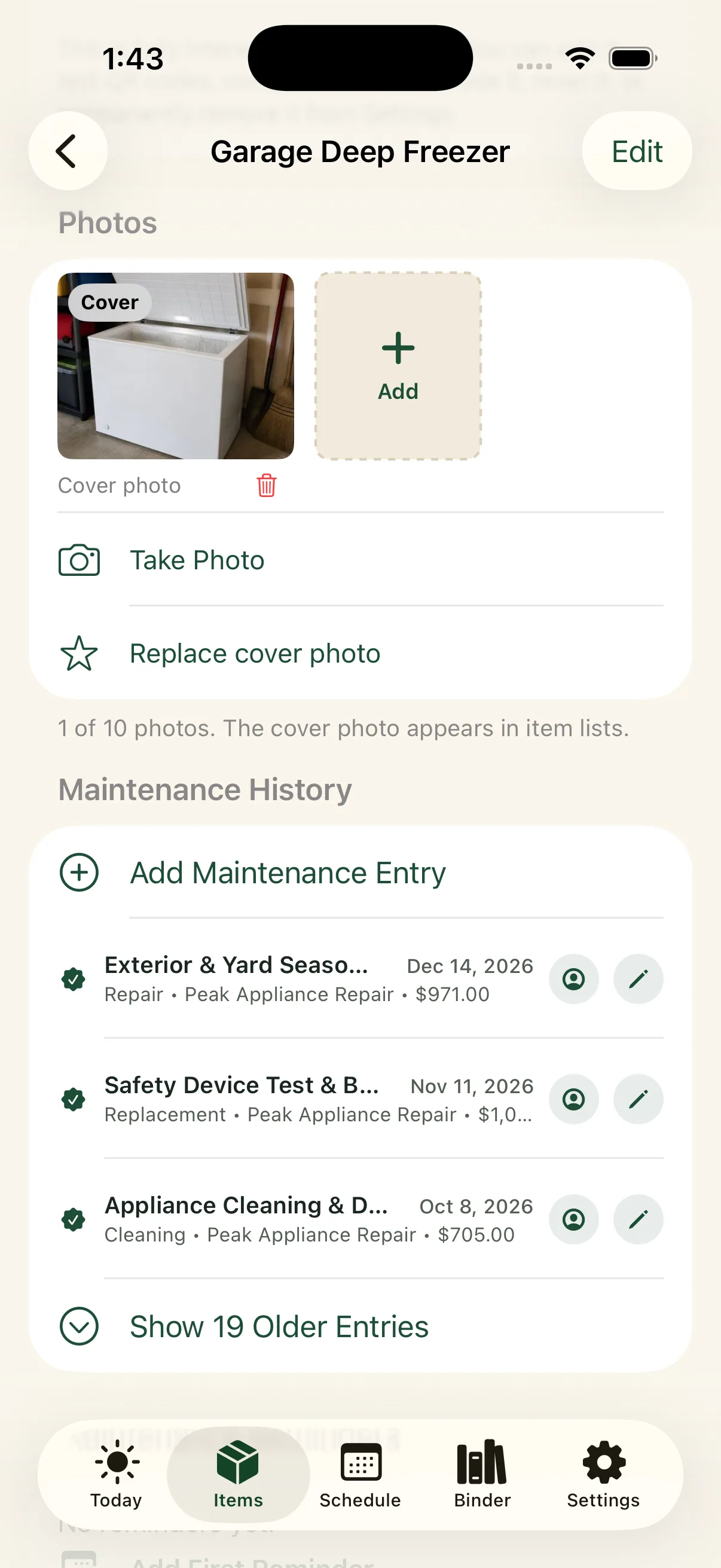
Explore an example home
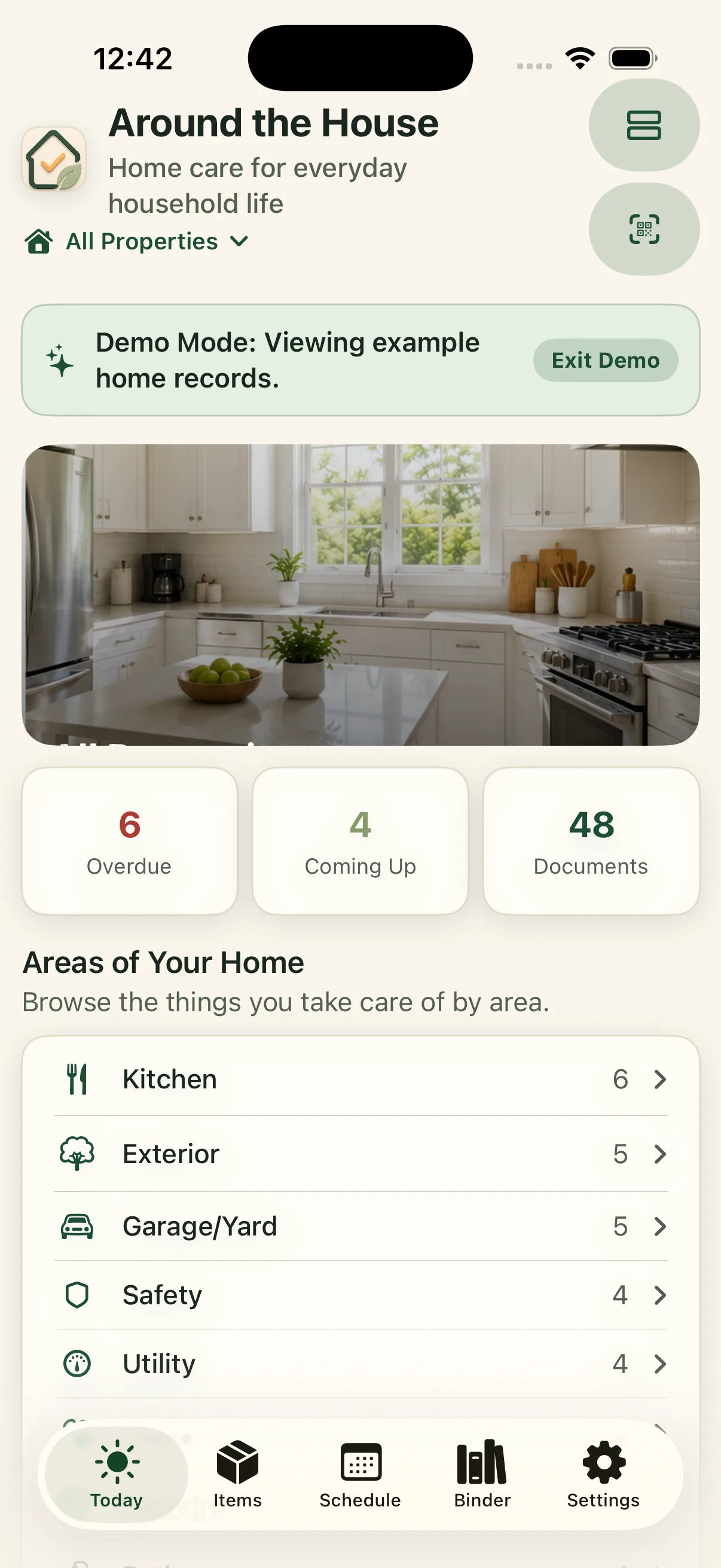
Explore a home before adding your own.
See how Around The House works with a preloaded example home. Explore maintenance reminders, appliance details, warranties, documents, and home records before setting up your own.

Then start your own home with up to five items free. Document attachments and reports for your own records require Pro.
Private by design
Your home.
Your information.
No separate Around The House account required. Keep and use your home records locally, including offline. When enabled, private iCloud sync keeps them available across supported devices signed into the same Apple Account.
Pro adds supported PDF reports, CSV exports, and full backup and restore, with files you choose where to keep. Available on iPhone, iPad, and Mac.
Read about privacyWhat can I save in Around The House?
Paint colors and finishes, appliance details, photos, receipts, warranties, manuals, repairs, service providers, projects, and important household notes. Records are organized by property, area, and item.
How is it different from Notes, spreadsheets, or Reminders?
Around The House provides a structure for your home. An item keeps its details, photos, documents, service history, and reminders together, so you can open the appliance or room instead of searching several places.
Can I try it before adding my home?
Yes. Demo Mode lets you explore an example home before entering your own information. You can also start your own home with up to five owned items for free across the app. Example-home items do not count toward that limit. Pro adds unlimited owned items, document attachments, advanced recurring reminders, supported PDF reports and CSV exports, full backup and restore, and printable QR labels.
What does Pro cost?
Your first five items are free. In the US App Store, monthly Pro is $0.99 per month and lifetime Pro is a $14.99 one-time purchase. Both unlock the same Pro features: unlimited owned items, document attachments, advanced recurring reminders, supported PDF reports and CSV exports, full backup and restore, and printable QR labels. Check the app’s purchase screen for current local pricing.
Do I need another account?
No Around The House account is required. Your records live on your Apple devices and sync through your private iCloud account when enabled. The app is available on iPhone, iPad, and Mac.
Start with something you want to remember
The paint you just used.
The repair you just paid for.
A little history starts here.
Start free with up to five home items. Optional Pro: $0.99/month or $14.99 lifetime in the US App Store. See pricing.