Keep track of home maintenance without a spreadsheet
Your home is likely the most expensive thing you will ever buy, and it has a lot of moving parts. Keep upcoming maintenance and completed work on the same item. Record the date, cost, provider, and useful notes after a service visit, then set the next reminder without building your own spreadsheet.
 (opens in a new tab) See inside the app
iPhone, iPad & Mac · Review current purchase options and feature availability in the app.
The loop: due, done, remembered, scheduled again
Most home maintenance is not a one-time project. It is the same handful of tasks coming back around: filters, gutters, water heater flush, smoke detector batteries, HVAC service. Tracking it well means handling the whole cycle, not just the reminder.
- 1. It becomes dueA recurring reminder surfaces on the Schedule and in the Today view.
- 2. It goes overdue if you miss itOverdue work stays visible instead of silently disappearing.
- 3. You complete itMark it done and record what was actually done, by whom, and what it cost.
- 4. The completion is keptThe entry joins that item's maintenance history permanently.
- 5. The next one is trackedThe recurrence continues, so the task comes back on schedule.
The completion stays connected to the item and its documents. A year later, you can find the date, provider, and invoice in the same record as the next reminder.
See what is due, and what slipped
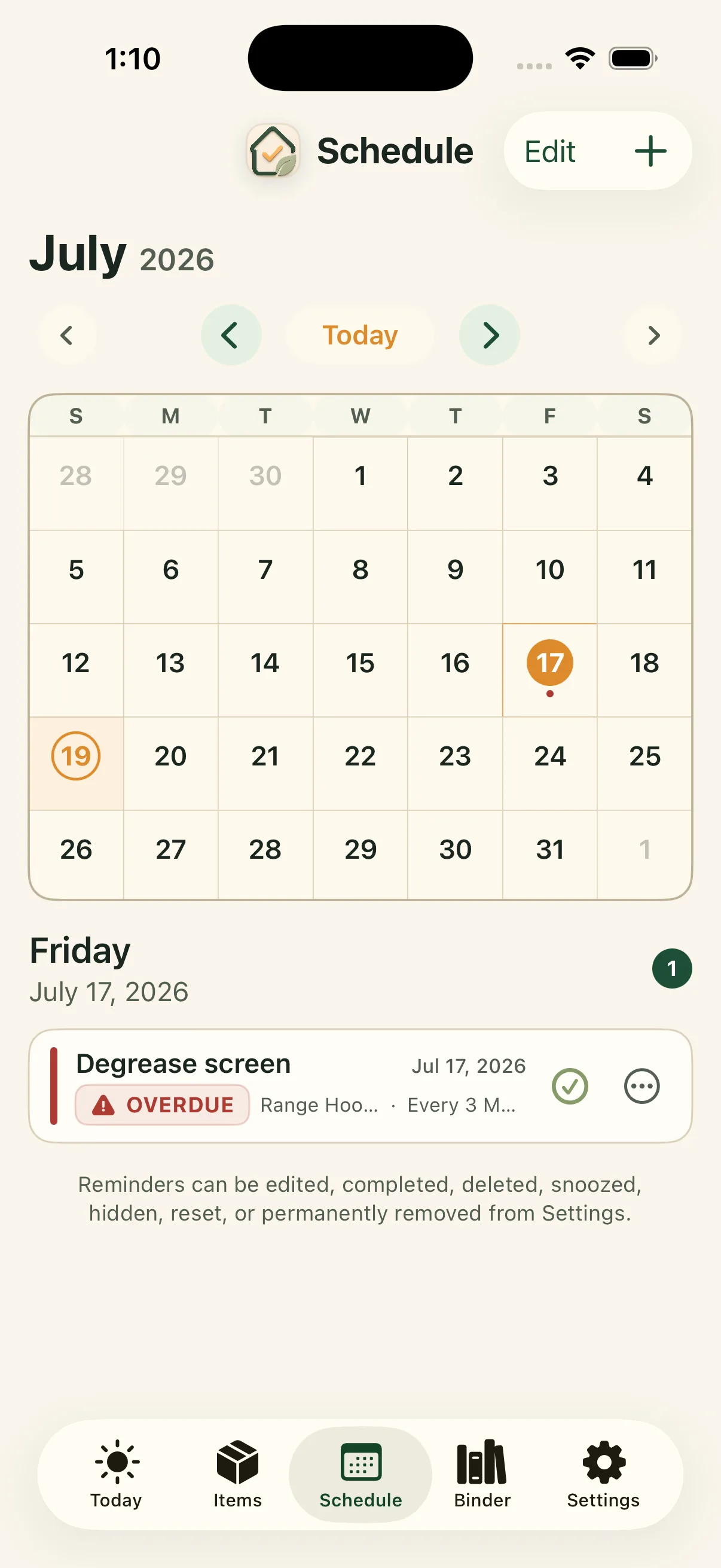
The Schedule shows maintenance on a calendar, with the day's reminders listed underneath. Each reminder carries the item it belongs to and how often it repeats, so a reminder to degrease the range hood screen every 3 months tells you exactly what to do without opening anything.
Anything you miss is marked overdue and stays on the list. Reminders can be completed, snoozed, edited, or removed.
Completing something writes it down
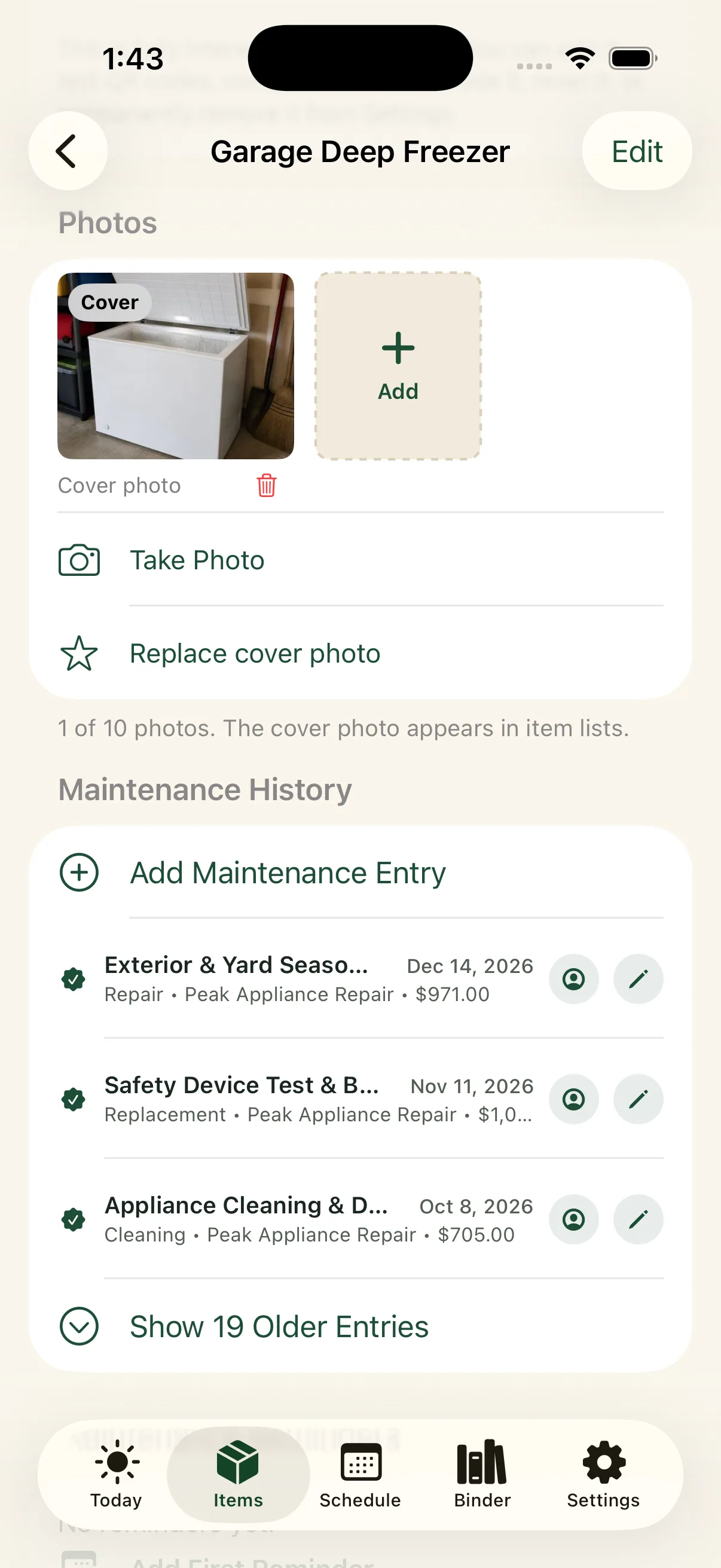
When you record maintenance, you can save the type of work (repair, replacement, cleaning, or preventive maintenance) along with the date, the service provider, notes, and the cost. Photos can be attached if there is something worth showing later.
That entry stays on the item. The next time anyone asks when the freezer was last serviced, the answer is a list of dates rather than a guess.
The paperwork stays with the work, down to the paint
Reminders tell you what to do. They rarely keep the proof that it was done. In Around The House, the receipt, invoice, warranty, manual, and photos are attached to the same item as its maintenance history, so the paperwork does not end up in a drawer or an email folder.
That includes paint. Each paint record keeps the brand, color name and code, finish, and the room it went on, along with touch-up notes and the receipt. The next touch-up starts from the record, not a peeling label on a can in the garage. See how paint records work.
Document attachments are included with Around The House Pro.
Hand the history to the next owner
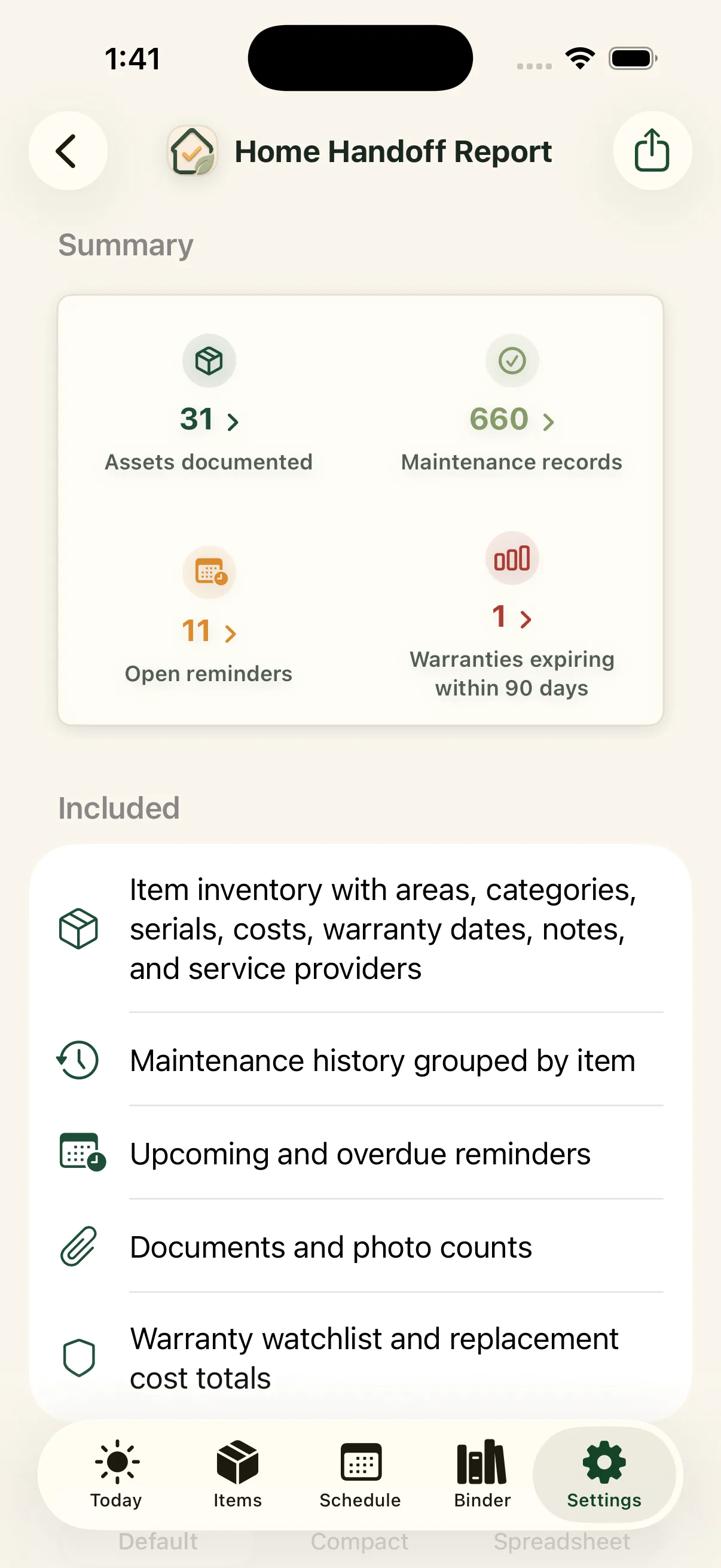
Years of tracked maintenance become something you can pass on. The Home Handoff report gathers the home's items, maintenance history, upcoming work, warranties, documents, service providers, and costs into one PDF for a buyer, a family member, or whoever looks after the house next.
Tracking more than one property
Items, reminders, and history are grouped by property, so a second home, a rental, or a family member's house can be tracked separately without the lists running together.
Where tracking turns into history
Tracking answers "what do I need to do?" Over time the same records answer a different and more useful question: "what has actually happened to this house?" That accumulated record is worth reading about separately, because it is what makes the tracking worth doing.
How a tracker compares with a checklist, calendar, or spreadsheet
Most people start with whatever they already have. Each option handles part of the job. The gap is usually the history: what was done, by whom, and what it cost.
| What you need | Paper checklist | Calendar | Spreadsheet | Around The House |
|---|---|---|---|---|
| Reminds you when work is due | No | Yes | No | Yes |
| Keeps overdue work visible | If you look | No; past events scroll away | If you sort for it | Yes |
| Repeats on a schedule | No | Yes | Manual | Yes |
| Records date, provider, and cost | Handwritten | Rarely | Yes | Yes |
| Keeps receipts, manuals, and photos with the item | No | No | Links only | Yes |
| Separates more than one property | Separate sheets | Separate calendars | Separate tabs | Yes |
| Cost | Free | Free | Free | Free for 15 items; Pro $29.99/year or $69.99 once |
For a longer walkthrough of each method, read how to keep track of home maintenance.
Pricing
Around The House is free for up to 15 items. Around The House Pro removes the limit for $29.99 a year, or $69.99 once with no subscription. Prices are in US dollars; the App Store shows your local price. See pricing.
Frequently asked questions
What is a home maintenance tracker?
A home is usually the largest purchase a household makes, and it keeps running only if dozens of parts get regular care. A home maintenance tracker keeps two lists for your house: the recurring work that is coming up, and the work that has already been done. A good one connects both to the item they belong to, such as the furnace, water heater, or roof, so the next reminder and the last service visit sit in the same place.
Is Around The House free?
Yes, for up to 15 items, including their reminders and maintenance history. Around The House Pro removes the item limit for $29.99 a year or $69.99 as a one-time purchase (US prices).
Do I need to create an account?
No. There is no separate Around The House account. Your records stay on your Apple devices and, when you turn it on, sync through your own private iCloud.
Which devices does it work on?
Around The House runs on iPhone, iPad, and Mac.
Can I track maintenance for more than one property?
Yes. Items, reminders, and history are grouped by property, so a second home, a rental, or a parent’s house stays separate from your own.
Why not just use a spreadsheet or my calendar?
A calendar handles the date but forgets what was done. A spreadsheet holds the history but will not remind you. A dedicated tracker does both and keeps the cost, provider, notes, and documents with the item.
What should I track first?
Start with the tasks that repeat and matter most: furnace or HVAC filters, smoke and carbon monoxide alarms, the water heater, gutters, and the dryer vent. The annual home maintenance checklist lists the rest by season.
Track one recurring task first.
Furnace filters are a good place to start. Once you complete one, the pattern of the app becomes obvious.
iPhone, iPad & Mac · Explore an example home. Review current purchase options in the app.
No separate Around The House account. Private iCloud sync across your own devices when enabled.